
Know before you play
A survival roguelike, rather than a long-form fantasy RPG campaign.
Why it belongs on this list
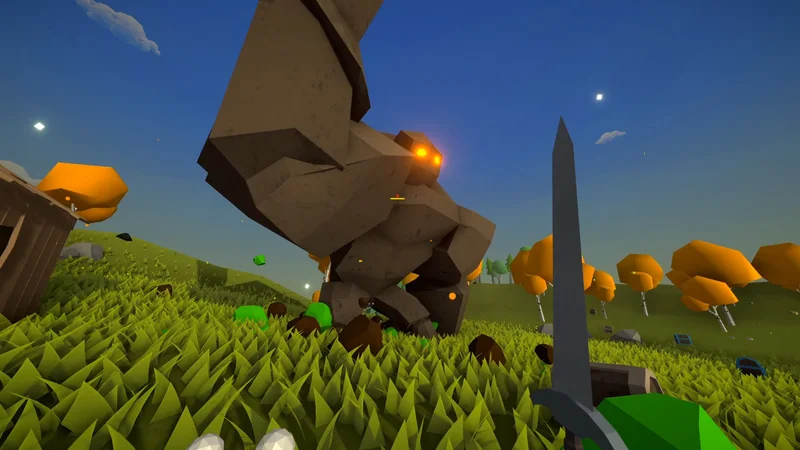
Muck’s Steam page explicitly describes resource collection, tools, weapons, armour and base building, with enemies arriving at night. That day-and-night preparation loop is a meaningful point of comparison for Valheim players. It is also listed as free, so a group can choose it without everyone first buying a copy.
Think in runs, rather than a forever settlement
The developer calls Muck a survival roguelike. That is the most useful expectation to set before inviting friends. Treat the island as the setting for a survival attempt, and the base as part of that attempt. If your ideal evening is slowly furnishing the same home over many weeks, the persistent worlds elsewhere in this guide may fit the plan better.
Co-op and competition are separate choices
Online co-op and PvP are both listed on Steam. Decide which experience the group wants before starting: building together and fighting each other produce very different reasons to gather equipment. The low entry cost does not remove the need to agree on difficulty, session length and what happens if someone joins late. Those are group preferences, not qualities a popularity score can settle.
A practical option for modest PCs
The published minimums are 2 GB RAM and Intel HD 520 graphics, with a small listed storage requirement. These are store specifications, not a benchmark from this site. The old Windows 7 line on the game’s page needs context: Steam itself now requires Windows 10 or later. Compare the launcher’s requirements as well as the game’s own listing.
When to choose something else
Pick Veloren if fantasy RPG exploration is the priority. Pick Wurm Online if you want an ongoing shared settlement and accept the free-account restrictions. Muck’s advantage is that its premise is easy to explain to a group: gather in daylight, prepare a base, and see whether everyone survives the next threat. It does not need to imitate every part of Valheim to be a useful recommendation.
Getting started
- Open Muck’s official Steam listing and confirm it still says Free.
- Compare the minimum hardware listing and the current Steam client requirements.
- Install through Steam and agree with your group on co-op or PvP.
- Plan a survival run rather than assuming a persistent RPG campaign.
Sources for this guide
Checked 15 October 2026. Features and requirements are sourced, not benchmarked. The comparison and fit assessment are our editorial interpretation. Check the official page for later changes.